Getting started / GUIDE 01
Your First Game of Villa Hide and Seek
Villa Hide & Seek is a keyboard game about finding fixed hiding places inside a two-floor house. You can play either side: search for AI characters, or hide from AI seekers. A first match works best with one opponent because it gives you room to learn the controls before several characters compete for your attention. There is no account setup, character progression, equipment purchase, or matchmaking step. Your choices on the menu determine the next round.
Set up a learning round
Choose “I'll seek” in the first step, then click “Next: Opponents.” Choose one opponent and click “Next: Character” to pick an animal avatar. Mint Cat is the default, but selecting another character does not change your speed, how you fit through doors, search reach, or available time. The selection is cosmetic. Click “Start playing” when you are ready to move.
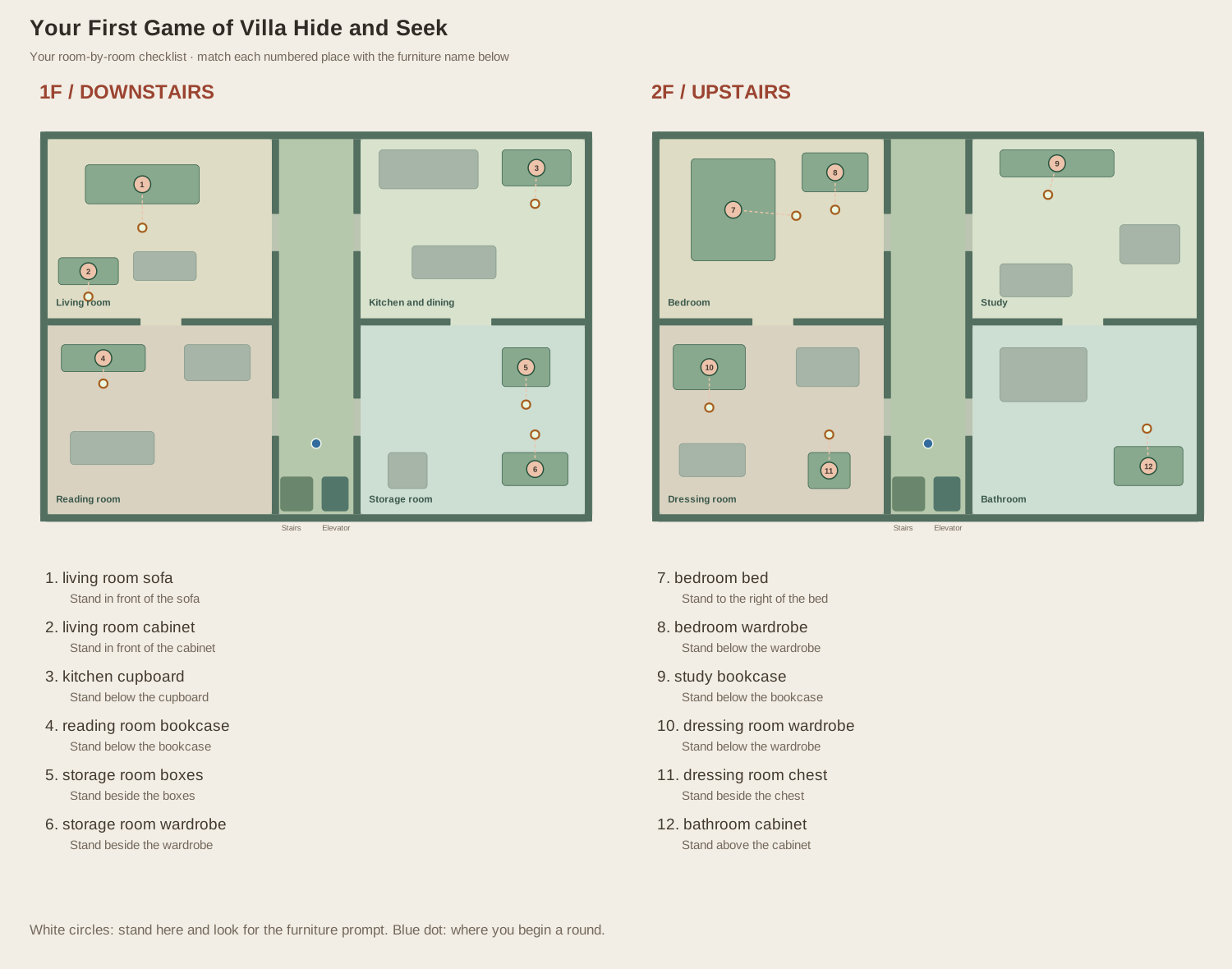
You begin in the central downstairs corridor, with room entrances nearby and the stairs and elevator farther down. Take a moment to recognize those landmarks before choosing a direction. The camera follows your character during a round, so the entire floor will not remain visible. If the room feels unfamiliar, return to the corridor and choose the next entrance from there rather than wandering around several pieces of furniture while the clock runs.
Make your first search
Move with WASD or the arrow keys. Start with short movements instead of holding several directions while trying to read. Furniture blocks ordinary movement, so walk around its edges and use the openings in room walls. Your goal is to approach a hiding place until a prompt names it. Press F once when the prompt says “Check” and identifies the object you intend to inspect.
An empty search produces a message and marks the checked place. Finding a character increases the found counter. With one hider, that discovery immediately ends the round in a win. Walking close to a hidden character does not reveal it automatically. You must check its actual hiding place. Decorative furniture can look useful without being an interactive spot, so trust the prompt rather than the object's appearance alone.
Understand the clock and the result
A seeker round begins with 120 seconds available. There is no separate twenty-second preparation phase for you in this role: the AI hiders are assigned their places when the round starts. You win by finding every chosen hider before the clock expires. If the clock reaches zero, the result explains how many you found and identifies the remaining hiding places, including their floors. Use that information to learn the map for your next attempt.
Press Esc whenever you need to think. The pause overlay stops the action and the clock. You can resume the same round or return to the menu. “Play again” starts a fresh round using the current role and player counts, with newly selected hiding positions. A memorized answer from the previous round is therefore a learning reference, not a guaranteed solution for the next one.
Try the other role
After one search round, return to the menu and choose “I'll hide.” Keep one AI seeker for this first experiment. You now have twenty seconds to reach a hiding place and press F. The status changes to Hidden, and your own character becomes faded. That faded image helps you locate yourself; it does not mean the seeker can see your hiding position.
When preparation ends, survive the following 120 seconds. A seeker can discover you by inspecting the spot where you are hidden. If you remain outside a spot, a nearby seeker can discover you during its inspection checks. For your first hiding attempt, learn to enter a spot, leave it with F, and enter another one before experimenting with risky movement during an active search. Completing those actions teaches the basic loop that every later tutorial builds on.